The essentials
A wedding photo scavenger hunt gives guests playful prompts so they capture moments the photographer may miss: table reactions, dance floor chaos, quiet family moments, details, and behind-the-scenes candids. Use the free three-page printable below for a full-page sign or two table cards, add your event QR code, and collect every submission in one shared gallery.
Free printable
Download the Free Wedding Photo Hunt
Three print-ready pages: a light sign, a dark sign, and two cut-out table cards. Add your own event QR code before printing.
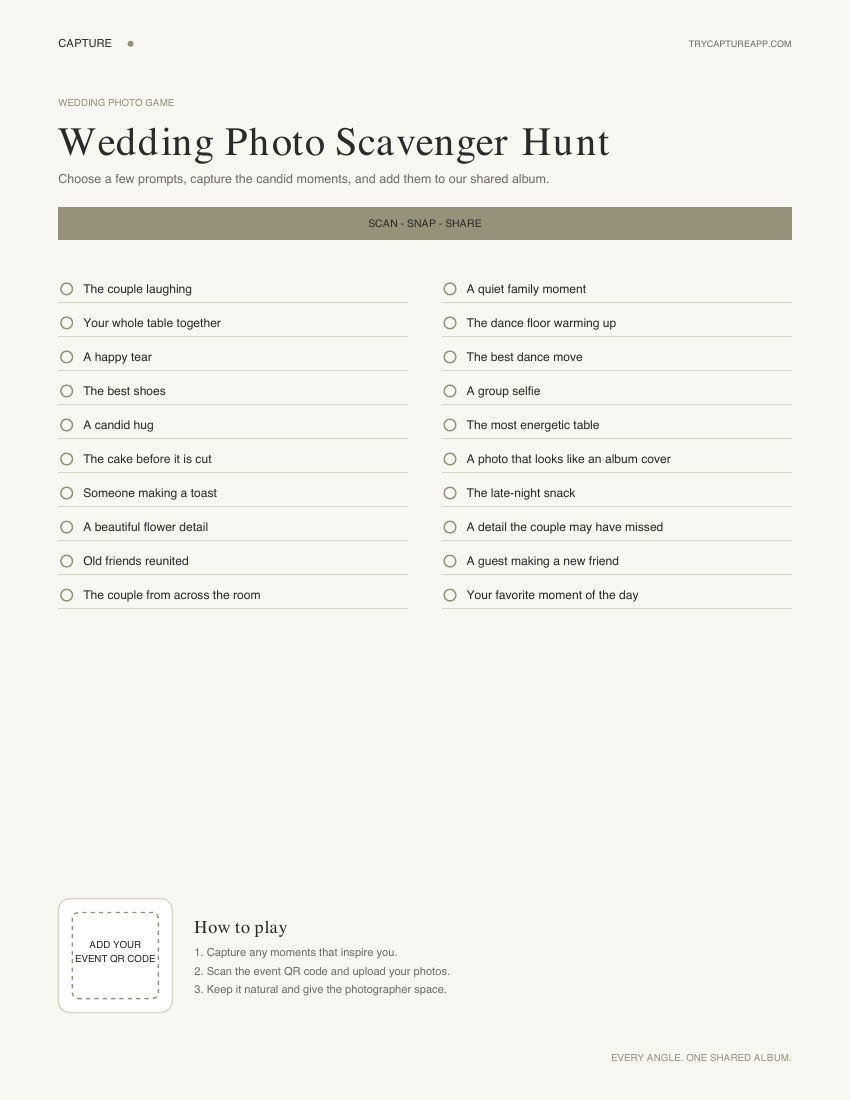
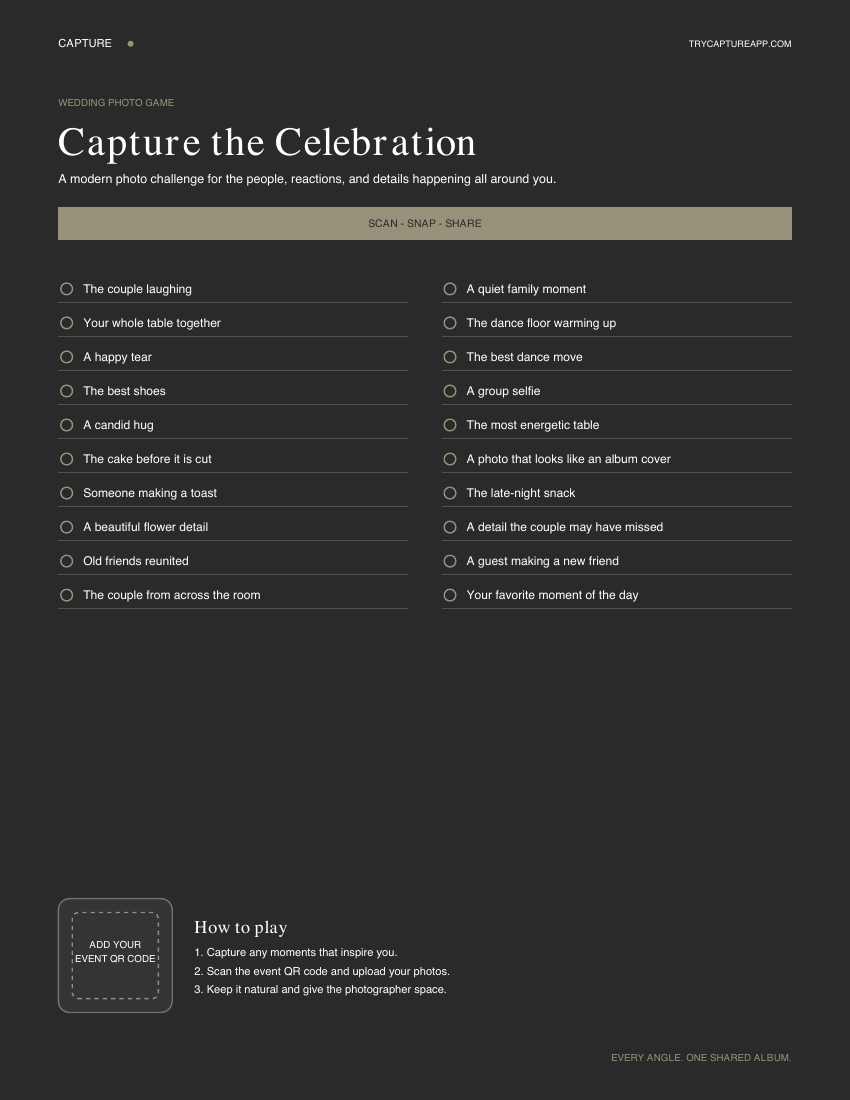
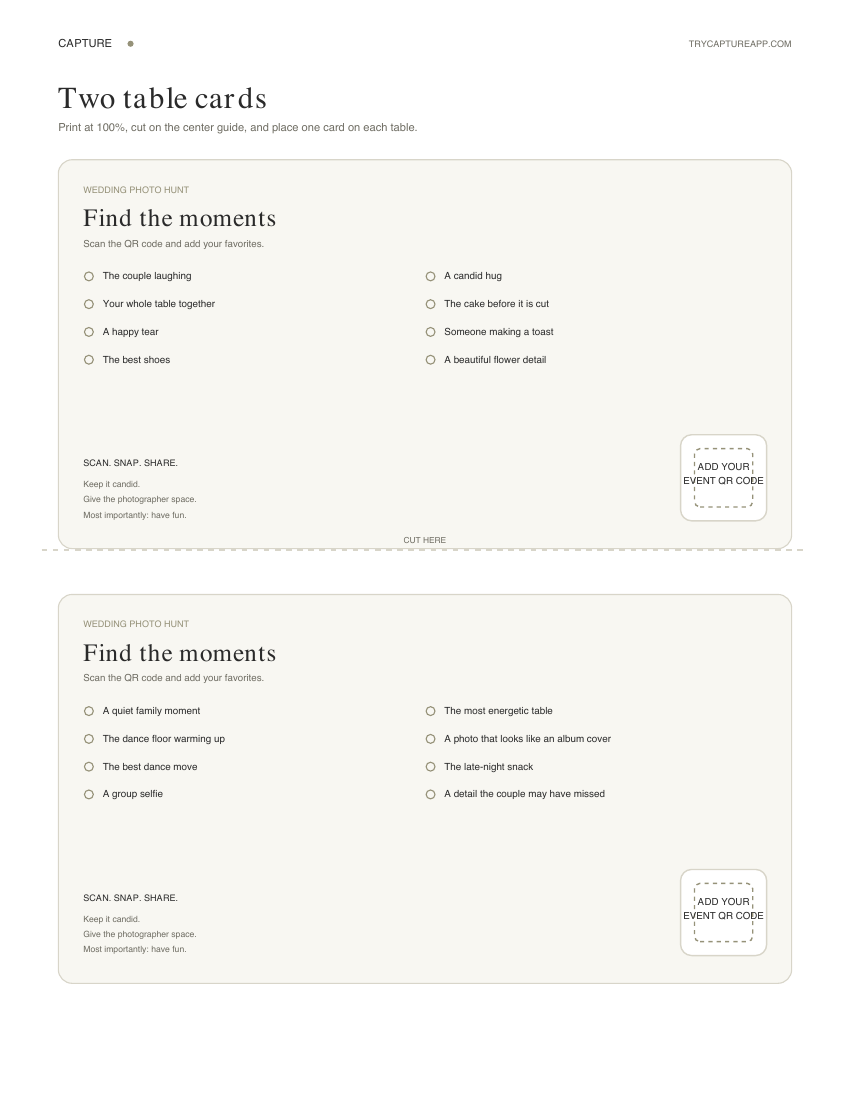
At a glance
- Prompt selection
- Choose a short, optional subset
- Best moment to start
- Cocktail hour
- Best collection method
- QR code gallery
- Best prompt style
- Specific but easy
- Printable formats
- 2 signs and 2 table cards
- Download price
- Free
Choose from these 30 wedding photo prompts
Pick a short subset that fits your guests and venue. These are optional invitations: ask permission, respect opt-outs, and leave formal coverage and ceremony aisles to the photographer.
- The couple laughing together
- Your table, with everyone who wants to join
- A reunion between old friends
- A guest’s reaction during a speech
- A toast from your seat
- A hug shared with permission
- An outfit detail someone wants to show
- The cake before it is cut
- A flower arrangement you love
- A handwritten place card
- The venue in the afternoon light
- The same venue after the lights come on
- The couple from across the room
- A parent enjoying the reception
- A grandparent telling a story
- A child’s dance move, with their guardian’s permission
- Friends helping each other get ready
- Someone showing another guest how to join the gallery
- A quiet conversation from a respectful distance
- A group selfie with willing participants
- The first guests on the dance floor
- Your favorite dance move
- The band or DJ during a public performance
- A song-request moment
- A late-night snack
- A cheerful farewell
- An unexpected color or reflection
- A table decoration seen from a new angle
- A moment the couple may have missed
- One image that sums up how the day felt
Three ready-to-use prompt sets
Choose one eight-prompt set below instead of asking guests to complete all 30. These are suggested selections from the list above; the PDF has its own fixed selection. For a custom set, copy these prompts into your stationery and add the same gallery QR code.
| Quiet and elegant | Mixed ages | Dance-floor energy |
|---|---|---|
| Flower arrangement | Your table together | First guests dancing |
| Handwritten place card | Old friends reunited | Favorite dance move |
| Cake before cutting | A willing group selfie | Band or DJ performing |
| Venue in afternoon light | Outfit detail | Song-request moment |
| Couple from across the room | Parent enjoying reception | Late-night snack |
| A toast from your seat | Grandparent telling a story | Venue after lights come on |
| Unexpected color or reflection | Someone helping with the gallery | Couple laughing together |
| One image of how the day felt | A moment the couple missed | Cheerful farewell |
Make the game easy to join
Start with a handful of easy prompts such as a table photo, flower detail or toast. Add a few livelier options if they suit the crowd. Guests do not need to complete the entire list.
Keep the instructions beside the gallery code and include the direct link in guest messages. Ask a willing helper to demonstrate one upload before the reception.
Use the printable with the right access information
The free PDF above contains full-page signs and table cards with space for your event QR code. Add your own code, check the final print for clarity, and scan it from the intended position before printing the full batch.
The printable is a shorter ready-made selection; use the numbered list on this page to choose other prompts. If you regenerate the event code in the iPhone app, review and replace distributed materials as needed.
Run the hunt without interrupting the wedding
Introduce it at cocktail hour or the reception, according to the couple’s photo boundaries. The MC can say: “There’s an optional photo hunt on your table. Pick a moment you like and add it to the shared gallery.”
Keep any prize optional and participation friendly. For a live screen, explain that contributions may be displayed and assign a moderator before showing guest uploads.
Save the moments you want to keep
Send one follow-up with the same link and an upload deadline. Save the agreed selection, open sample files, and keep a separate backup before closing the gallery.
Capture preserves original upload files and uses a smaller copy for gallery viewing. Downloads use the original when available; older uploads without a stored original may use the gallery copy. Open sample downloads before relying on them for printing, and check permission before public reuse.
Questions & answers
How many prompts should a wedding photo scavenger hunt have?
Choose a short subset that fits your guests—around 8–15 is a planning starting point, not a rule. Make the hunt optional and let people contribute even if they only choose one prompt.
Should guests upload scavenger hunt photos during the wedding?
Yes. Uploading during the event captures the energy while it is happening and prevents photos from being forgotten later.
Do we need prizes?
Prizes are optional. If you use one, keep it small and fun, such as a shoutout, a bottle of champagne, or first pick from late-night snacks.
Can a scavenger hunt work with older guests?
It can. Keep prompts simple, provide a direct-link fallback, test the guest flow and offer assistance. Device support and individual comfort vary.
Should the photographer know about it?
Yes. Tell your photographer so they know guests may be taking prompted candids, especially around speeches and the dance floor.
Is there a free wedding photo scavenger hunt printable?
Yes. The downloadable three-page PDF on this page includes a light full-page sign, a dark full-page sign, and two cut-out table cards. Each format includes a marked space where you can add the QR code for your shared wedding gallery.
Keep the moments close
Every guest’s perspective.
One shared collection.
Create a private gallery, share a QR code, and bring your event’s photos together.
Start 7-day free trial Explore plans